Connect the accounts you use
Open Social and connect the supported platforms you want ZMEU to publish to. Check each connection before scheduling. A saved post will not appear on a platform until its account is connected and publishing is completed.
Scheduling and publishing
Made a post you like? Connect your accounts, schedule it, then use real performance data to shape the next one.
Example: A local shop posts its weekend special on Instagram, then checks reach and engagement to decide whether to repeat the format next month.
Open Social and connect the supported platforms you want ZMEU to publish to. Check each connection before scheduling. A saved post will not appear on a platform until its account is connected and publishing is completed.
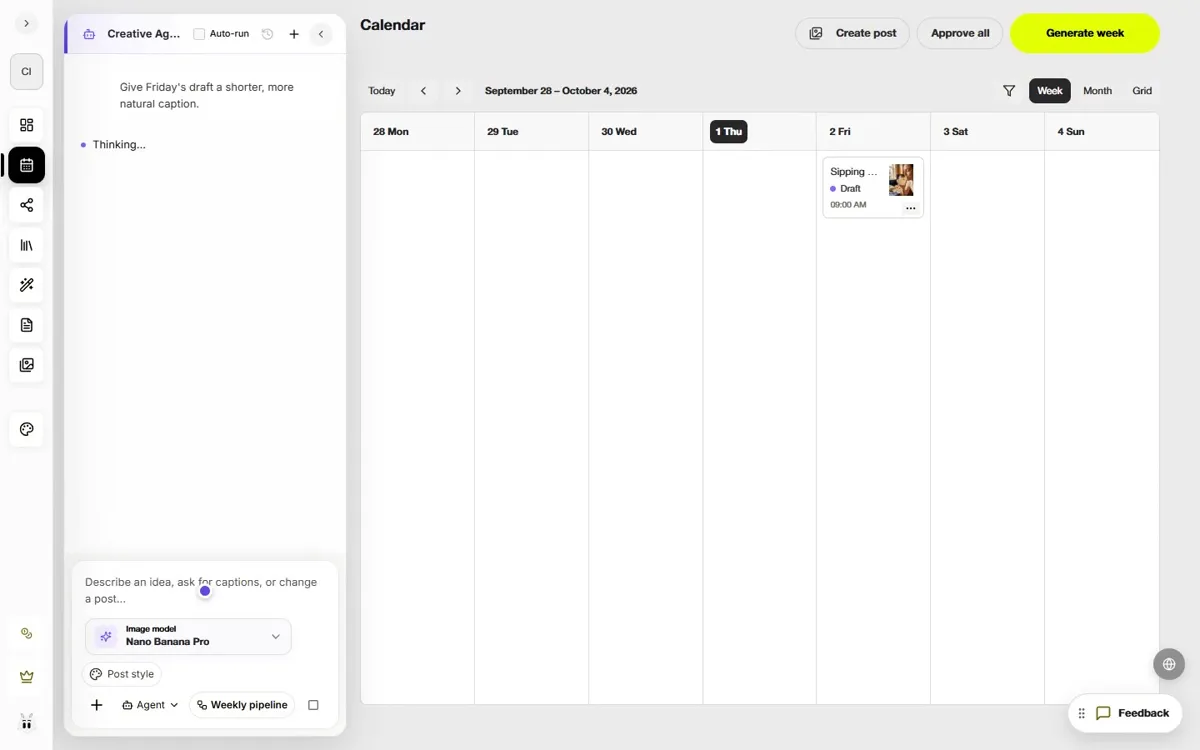
Bring an image or video from your library to the calendar, write or refine its caption, and choose the channel, format, day, and time. Review the crop and copy for each destination; one visual or caption rarely fits every platform unchanged.
After publishing, open Social analytics to inspect available views, reach, engagement, post results, and channel insights. The numbers depend on what each connected platform supplies. Compare posts rather than guessing which topic or format worked.
Use Create similar from a post's analytics view to bring that post into the calendar workflow. Keep the useful angle, then change the hook, visual, or format for a fresh post. Review and approve the new version before publishing it.
Connected social channels, reviewed posts on a calendar, and useful signals for the next round of content.
Create account